pangle_flutter
Thanks for non-commercial open source development authorization by JetBrains.
English | 中文



Table of Contents
- Migration Guide
- SDK Versions
- Official Documentation
- Parameter Reference
- Integration
- Usage
- Contributing
- Sponsors
Native platform demos:
Migration Guide
2.x → 3.0
SplashViewnow has two distinct error callbacks instead of one:onError— fires when the ad fails to load (network error, no fill, etc.)onRenderFail— fires when the ad fails to render after loading (template rendering error)- If you were using
onErrorto catch all splash failures, add anonRenderFailhandler to cover render errors.
- iOS touchable bounds semantics changed:
addTouchableBounds/clearTouchableBoundsnow directly restrict which areas of the native ad view receive touch events. If the list is empty (default) all touches pass through normally. Previously this was a pass-through whitelist that only activated whenFlutterOverlayViewwas detected — a mechanism that was already a no-op in Flutter 3+. BannerViewandFeedViewnow size themselves automatically fromexpressSize— no externalAspectRatioor fixed height required.SplashViewstill needs a size-constraining wrapper (Container,SizedBox,Expanded, etc.).- Closing the ad (tapping the ✕ button) no longer auto-removes the view — handle removal in
onClose.
SDK Versions
The SDK is bundled as a dependency — no manual import needed. To use a different SDK version, fork this project and update the dependency.
Official Documentation
Parameter Reference
See PROPERTY.md for a full description of every configuration parameter.
Screenshots
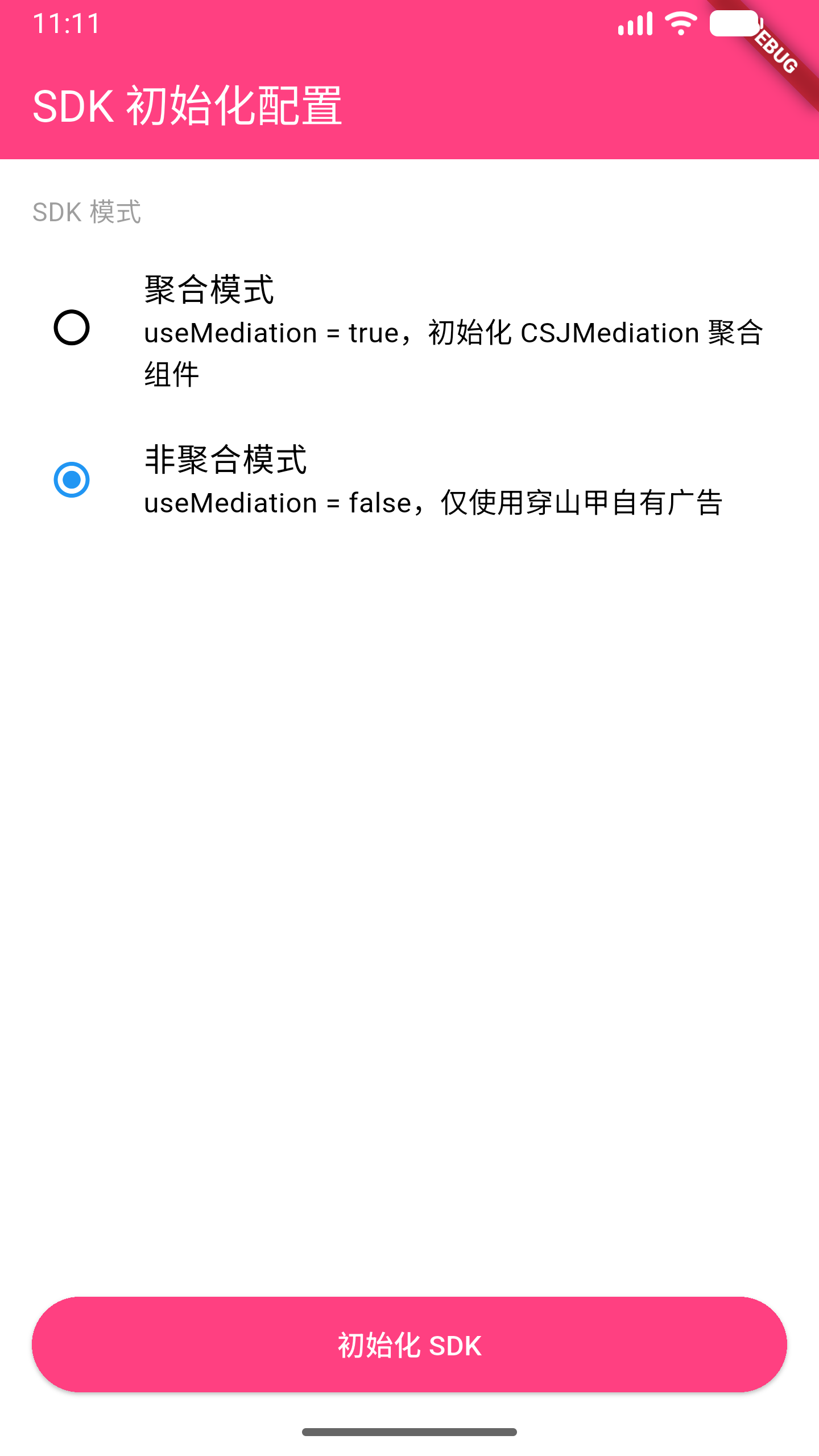
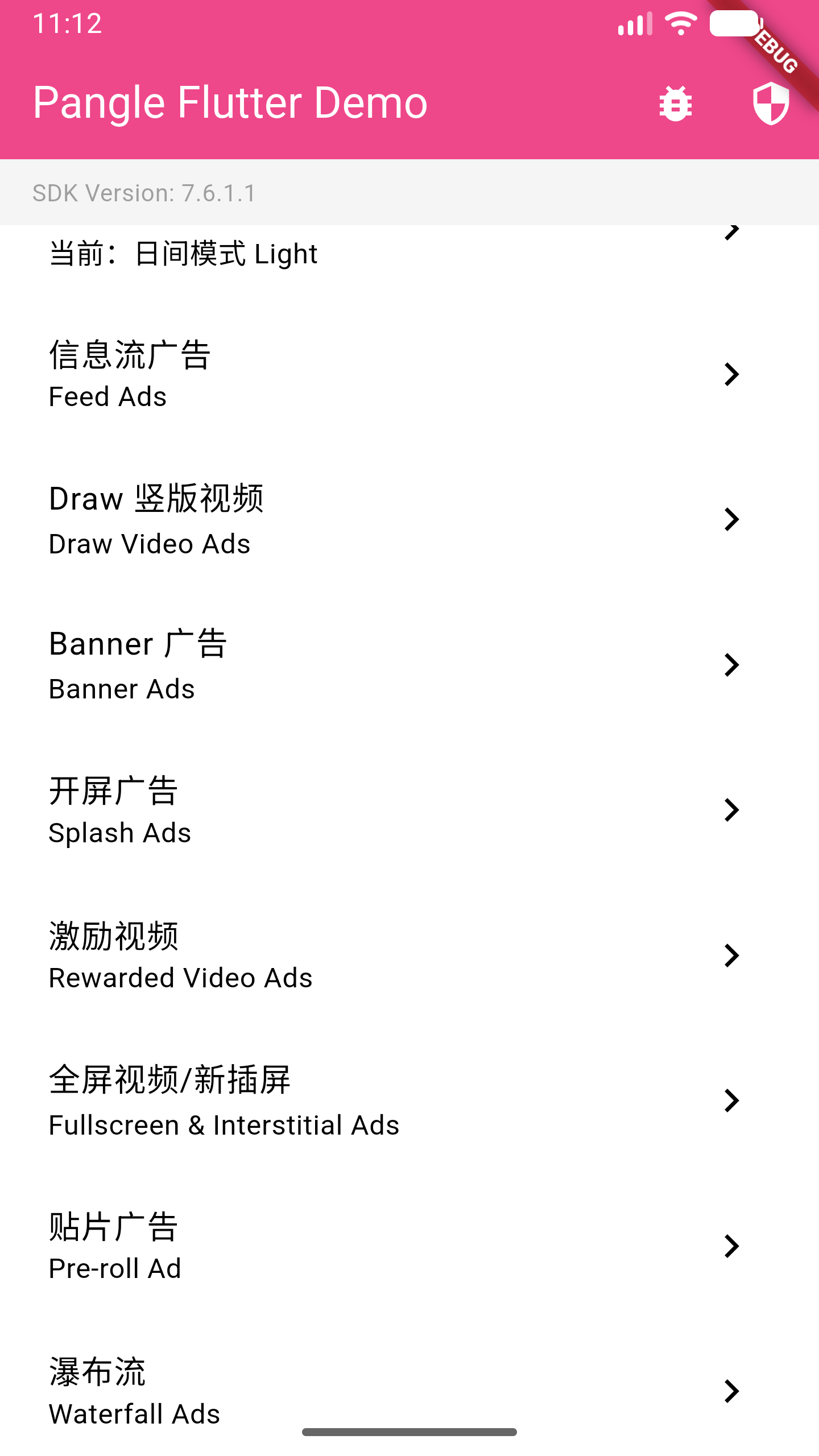
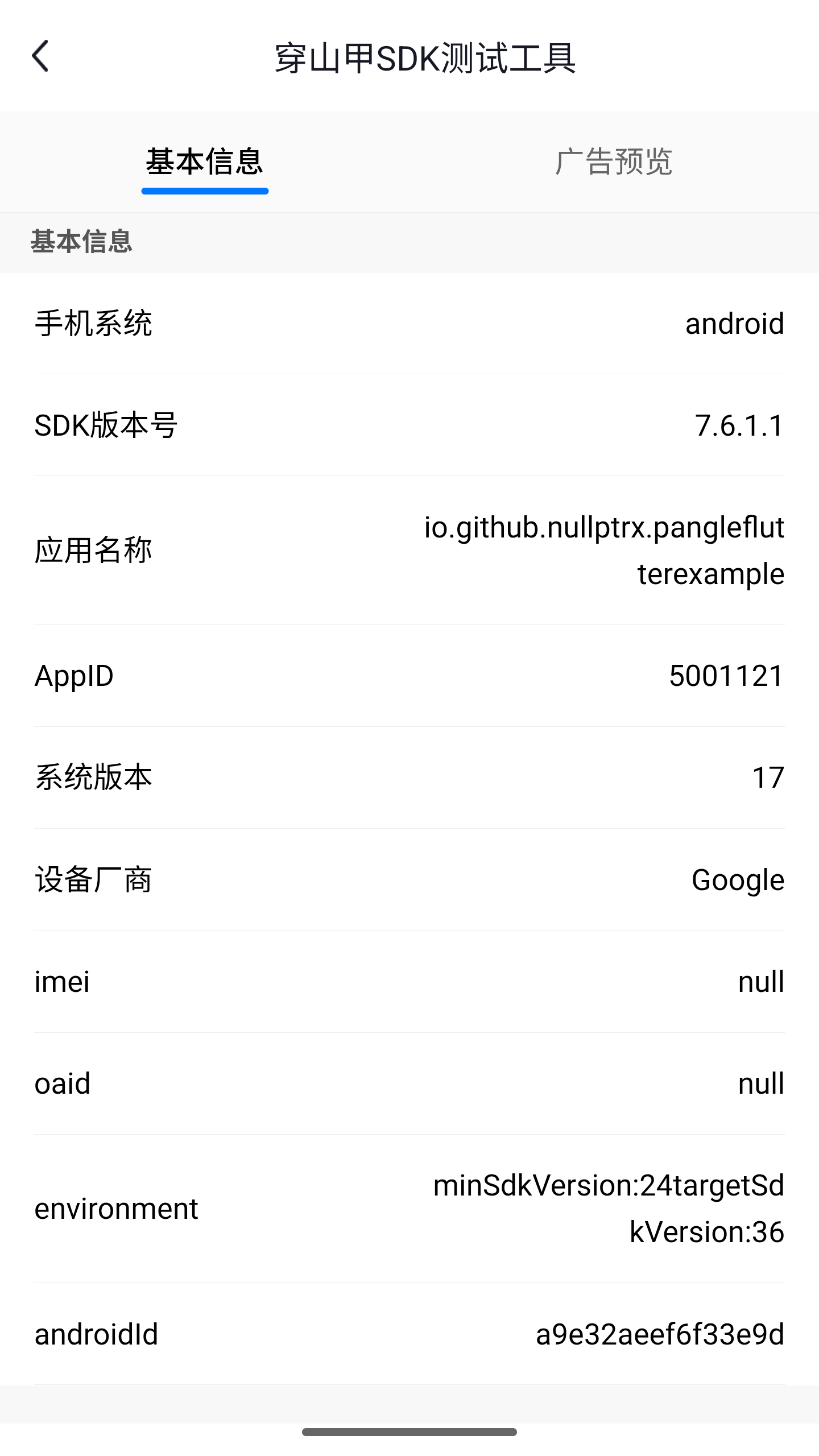
Integration
1. Add the dependency
dependencies:
  pangle_flutter: latest
2. Platform setup
See SETUP.md for Android manifest changes and iOS Info.plist / CocoaPods configuration.
iOS note: This plugin depends on Ads-CN-Beta/BUAdSDK and Ads-CN-Beta/CSJMediation. These are the beta/mediation variants of the Pangle iOS SDK.
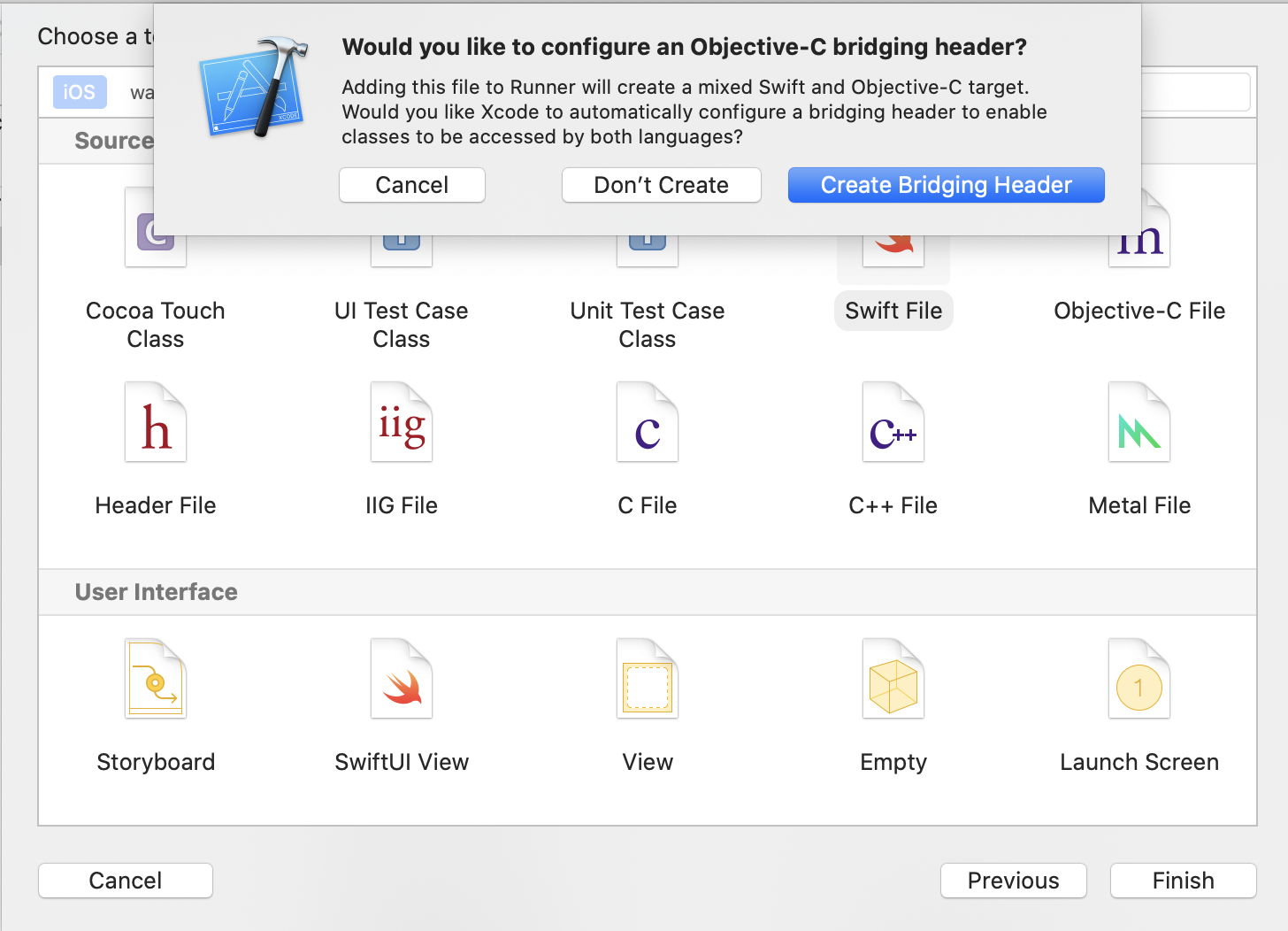
Pure Objective-C projects (iOS): Create an empty Swift file in your project and select Create Bridging Header when prompted. This is required for Swift-based plugins to work.
Usage
1. Initialization
import 'package:pangle_flutter/pangle_flutter.dart';

// Call before runApp if initializing at startup
WidgetsFlutterBinding.ensureInitialized();

await pangle.init(
  iOS: IOSConfig(appId: kAppId),
  android: AndroidConfig(appId: kAppId),
);

// To enable GroMore mediation:
await pangle.init(
  iOS: IOSConfig(appId: kAppId, useMediation: true),
  android: AndroidConfig(appId: kAppId, useMediation: true),
);
2. Splash Ad
Full-screen (non-PlatformView)
await pangle.loadSplashAd(
  iOS: IOSSplashConfig(slotId: kSplashId, isExpress: false),
  android: AndroidSplashConfig(slotId: kSplashId, isExpress: false),
);
Custom / PlatformView
SplashView(
  iOS: IOSSplashConfig(slotId: kSplashId, isExpress: false),
  android: AndroidSplashConfig(slotId: kSplashId, isExpress: false),
  onLoad: () {},          // Ad loaded successfully
  onShow: () {},          // Ad appeared on screen
  onClick: () {},         // User tapped the ad
  onClose: (type) {},     // Ad dismissed
  onError: (code, msg) {},       // Load failed
  onRenderFail: (code, msg) {},  // Render failed (after load)
);
3. Rewarded Video Ad
Use RewardedAd.load() + ad.show() for one-off load/show, or RewardedAdPool when you want ads preloaded and ready before the user triggers them.
One-off (load then show)
try {
  final ad = await RewardedAd.load(
    slotId: kRewardedVideoId,
    iOS: const IOSRewardedVideoConfig(slotId: kRewardedVideoId),
    android: AndroidRewardedVideoConfig(slotId: kRewardedVideoId),
  );
  // Reaching here means load succeeded
  final result = await ad.show(
    onEvent: (PangleAdEvent event) {
      switch (event) {
        case AdRewardEvent(:final verified):
          if (verified) grantReward();
        case AdClosedEvent():
          // ad dismissed
        default:
          break;
      }
    },
  );
} on AdLoadException catch (e) {
  debugPrint('load failed: $e');
}
Preload pool (recommended for better UX)
// Configure once at startup (e.g. in initState or main())
await RewardedAdPool.instance.configure(
  slotId: kRewardedVideoId,
  poolSize: 2,        // keep 2 ads cached
  autoRefill: true,   // reload automatically after each show
  iOS: const IOSRewardedVideoConfig(slotId: kRewardedVideoId),
  android: AndroidRewardedVideoConfig(slotId: kRewardedVideoId),
);

// Later, when the user earns an ad trigger:
if (await RewardedAdPool.instance.isReady(kRewardedVideoId)) {
  await RewardedAdPool.instance.show(
    slotId: kRewardedVideoId,
    onEvent: (event) {
      if (event case AdRewardEvent(:final verified) when verified) {
        grantReward();
      }
    },
  );
} else {
  // Ad not ready yet — show a "try again later" message
}
4. Fullscreen Video Ad
Follows the same pattern as rewarded video. Use FullscreenAd for one-off or FullscreenAdPool for preloading.
One-off
try {
  final ad = await FullscreenAd.load(
    slotId: kFullscreenVideoId,
    iOS: const IOSFullscreenVideoConfig(slotId: kFullscreenVideoId),
    android: AndroidFullscreenVideoConfig(slotId: kFullscreenVideoId),
  );
  await ad.show(
    onEvent: (event) {
      if (event is AdClosedEvent) Navigator.pop(context);
    },
  );
} on AdLoadException catch (e) {
  debugPrint('load failed: $e');
}
Preload pool
await FullscreenAdPool.instance.configure(
  slotId: kFullscreenVideoId,
  iOS: const IOSFullscreenVideoConfig(slotId: kFullscreenVideoId),
  android: AndroidFullscreenVideoConfig(slotId: kFullscreenVideoId),
);

if (await FullscreenAdPool.instance.isReady(kFullscreenVideoId)) {
  await FullscreenAdPool.instance.show(slotId: kFullscreenVideoId);
}
5. Banner Ad
The close button (✕) no longer auto-removes the view. Handle removal yourself in the appropriate callback.
BannerView applies AspectRatio internally based on expressSize — no wrapper needed.
BannerView(
  iOS: IOSBannerConfig(
    slotId: kBannerExpressId,
    expressSize: PangleExpressSize(width: 600, height: 260),
  ),
  android: AndroidBannerConfig(
    slotId: kBannerExpressId,
    expressSize: PangleExpressSize(width: 600, height: 260),
  ),
  onClick: () {},
  onError: (code, msg) {},
  onRenderFail: (code, msg) {},
)
6. Feed Ad
The close button (✕) no longer auto-removes the item. Handle removal yourself in
onDislike.
Request feed ads
// Returns a list of ad keys used to render FeedView widgets
PangleFeedAd feedAd = await pangle.loadFeedAd(
  iOS: IOSFeedConfig(slotId: kFeedId, count: 2),
  android: AndroidFeedConfig(slotId: kFeedId, count: 2),
);
// feedAd.data — list of ad identifiers
Display
Pass the same expressSize used in loadFeedAd — FeedView sizes itself automatically.
final expressSize = PangleExpressSize(width: 375, height: 120);

// Load
PangleAd feedAd = await pangle.loadFeedAd(
  iOS: IOSFeedConfig(slotId: kFeedId, expressSize: expressSize),
  android: AndroidFeedConfig(slotId: kFeedId, expressSize: expressSize),
);

// Render
FeedView(
  id: item.feedId,
  expressSize: expressSize,
  onDislike: (option, enforce) {
    pangle.removeFeedAd([item.feedId]);
    setState(() => items.removeAt(index));
  },
)
Release cached ads
@override
void dispose() {
  pangle.removeFeedAd(feedIds);
  super.dispose();
}
7. Interstitial Ad
final result = await pangle.loadInterstitialAd(
  iOS: IOSInterstitialConfig(
    slotId: kInterstitialId,
    expressSize: PangleExpressSize(width: width, height: height),
  ),
  android: AndroidInterstitialConfig(slotId: kInterstitialId),
);
8. Touchable Bounds (iOS)
addTouchableBounds restricts which areas of a native ad view can receive touch events. When the list is non-empty, only touches within the declared rectangles are forwarded to the native view; all other touches pass through to Flutter widgets underneath.
Note: This API is iOS-only. Android platform views handle touch routing natively.
Container(
  height: 260,
  child: BannerView(
    iOS: IOSBannerConfig(
      slotId: kBannerId,
      expressSize: PangleExpressSize(width: 600, height: 260),
    ),
    android: AndroidBannerConfig(slotId: kBannerId),
    onBannerViewCreated: (BannerViewController controller) {
      // Allow touches only within these screen-coordinate rects
      controller.addTouchableBound(Rect.fromLTWH(0, 0, 300, 260));

      // Or clear all restrictions (all touches pass through to native view)
      controller.clearTouchableBounds();
    },
  ),
),
Use case: You have a floating button that overlaps the ad. Declare only the non-button area as touchable so the button remains tappable while the rest of the ad still receives clicks.
_initTouchableBounds(BannerViewController controller) {
  if (!Platform.isIOS) return;

  final RenderBox buttonBox =
      _floatingButtonKey.currentContext!.findRenderObject() as RenderBox;
  final buttonBound = PangleHelper.fromRenderBox(buttonBox);

  // Allow the ad area excluding the button region
  controller.addTouchableBound(Rect.fromLTWH(
    0,
    buttonBound.top,
    kPangleScreenWidth - buttonBound.width,
    buttonBound.height,
  ));
}
9. Draw Ad
TikTok-style vertical full-screen video ads. Load a batch of IDs, then embed DrawView inside a full-screen PageView for swipeable playback.
// Load
final PangleDrawAd drawAd = await pangle.loadDrawAd(
  iOS: IOSDrawConfig(slotId: kDrawId, adCount: 3),
  android: AndroidDrawConfig(slotId: kDrawId, adCount: 2),
);

// Display
PageView.builder(
  scrollDirection: Axis.vertical,
  itemCount: drawAd.data.length,
  itemBuilder: (context, i) => DrawView(
    id: drawAd.data[i],
    onClick: () {},
    onRenderFail: (code, msg) {},
  ),
);

// Clean up
await pangle.removeDrawAd(drawAd.data);
10. Stream Ad
Returns video metadata for your own custom player — no SDK-rendered view required.
final PangleStreamAd streamAd = await pangle.loadStreamAd(
  iOS: IOSStreamConfig(slotId: kStreamId),
  android: AndroidStreamConfig(slotId: kStreamId, imgSize: PangleSize(width: 640, height: 320)),
);
for (final StreamAdItem item in streamAd.data) {
  // Use item.videoUrl with your video player
  // item.title, item.imageUrl, item.videoDuration, item.description
}
11. EcMall Ad
Commerce-integrated native ad rendered as a platform view. Must be wrapped in a size-constraining widget.
SizedBox(
  width: 600,
  height: 257,
  child: EcMallView(
    slotId: kEcMallId,
    width: 600,
    height: 257,
    onClick: () {},
    onShow: () {},
    onError: (code, msg) {},
  ),
)
12. Feed Icon Ad
Icon-sized feed ad for compact grid or list layouts. Use the standard FeedView widget to render.
final PangleAd iconAd = await pangle.loadFeedIconAd(
  android: AndroidFeedIconConfig(slotId: kFeedIconId, expressViewWidth: 160),
);
FeedView(id: iconAd.data.first)
13. Half-Screen Splash (Android)
Show a splash ad occupying ~4/5 of the screen height instead of full-screen. Android only.
await pangle.loadSplashAd(
  android: AndroidSplashConfig(slotId: kSplashId, isHalfSize: true),
  iOS: IOSSplashConfig(slotId: kSplashId),
);
