PulseCountDownView
Introduction: This is a simple pulse countdown view
Tags:
Simple pulse countdown view which is based on TextView.
minSdkVersion 22 (Lollipop 5.1) - But you can try to use it in a lower version as well. It should work.
Library is implemented on kotlin but has convenient api for java users
Demo:
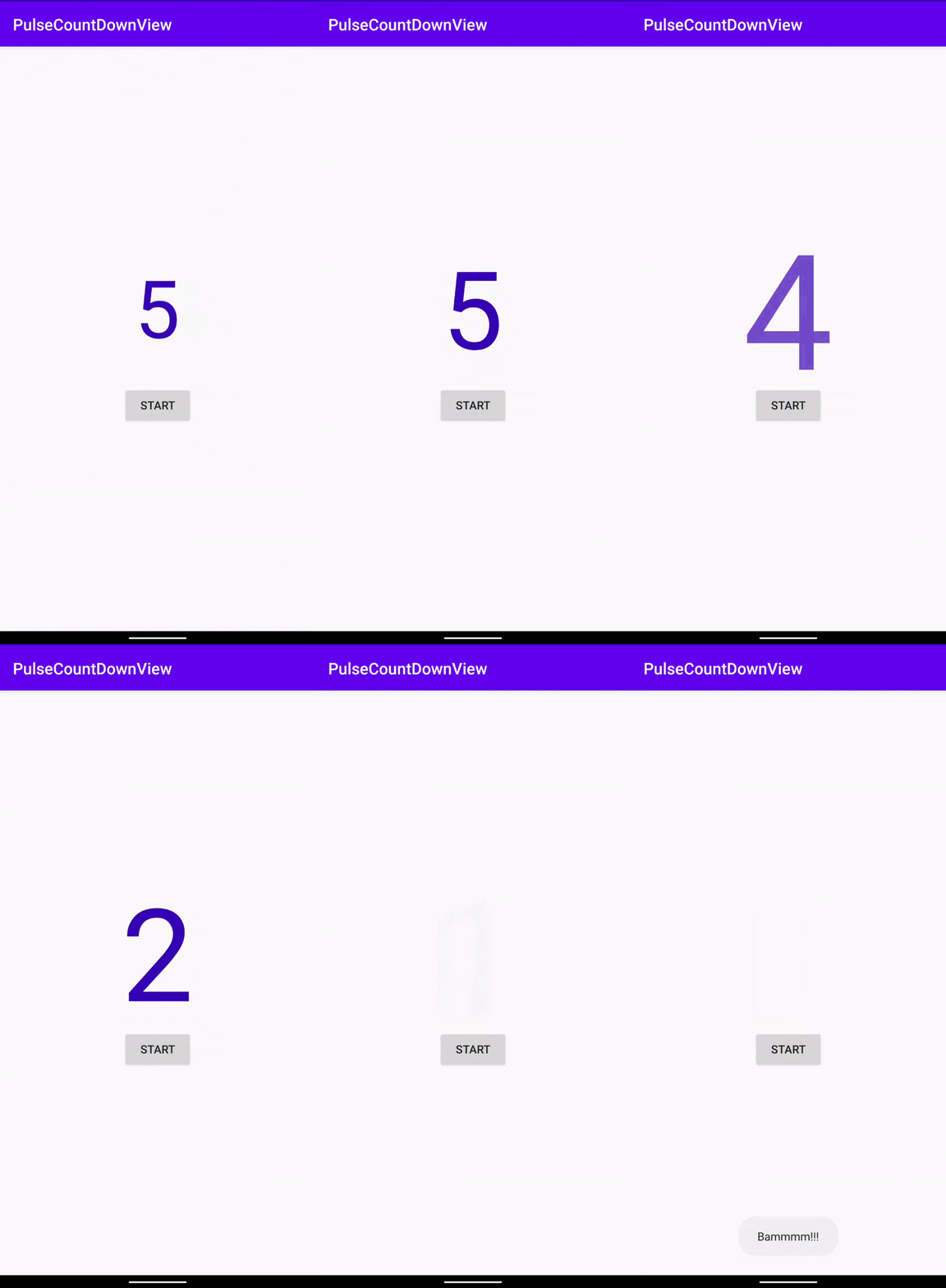
Integration
dependencies {
  implementation 'com.gusakov:pulse-countdown:1.1.0-rc1'
}
Usage
- Basicly it's a textview with custom attributes.
- pc_startValue - default is 10 - starting value of the PulseCountDown
- pc_endValue - default is 0- value before which the countdown will stopped
    <com.gusakov.library.PulseCountDown
        android:id="@+id/pulseCountDown"
        android:layout_width="wrap_content"
        android:layout_height="wrap_content"
        android:textColor="@color/countdownColor"
        android:text="5"
        android:textSize="100sp"
        app:pc_startValue="5" />
And start countDown in code:
pulseCountDown.start {
    Toast.makeText(this, "Bammmm!!!", Toast.LENGTH_LONG).show()
}
or
pulseCountDown.start()
You can use any textView attributes. Just know that text size will increase twice
License
Copyright 2020 Gusakov Giorgi

Do whatever you want whenever you want. Just won't destroy our planet
Feel free to contribute, make pull requests, drink beer and enjoy the life.
