Shortcut



A small Kotlin DSL for dynamic and pinned Android app shortcuts, built on ShortcutManagerCompat.
API documentation · Changelog · Contributing
Requirements
- minSdk 23 (Android 6.0, required by current AndroidX). Dynamic shortcuts appear on API 25+, pinned shortcuts on API 26+ with a
legacy-launcher fallback below that — the library handles the version checks internally via
ShortcutManagerCompat, so noBuild.VERSIONchecks are needed in your code. - AndroidX. The library depends on
androidx.core; apps still on the legacy support libraries must migrate to AndroidX first. - Kotlin. The 2.0 API is a Kotlin DSL designed for Kotlin callers.
Building from source
The project builds with the Gradle wrapper (Gradle 9.6, AGP 9.3, built-in Kotlin) and needs JDK 17+ and an Android SDK with platform 36:
./gradlew build
Add the dependency
The library is published on Maven Central as io.github.mehdikhalifeh:shortcut-core
(no extra repository configuration needed):
dependencies {
    implementation("io.github.mehdikhalifeh:shortcut-core:2.0.0")

    // Optional Jetpack Compose bindings:
    implementation("io.github.mehdikhalifeh:shortcut-compose:2.0.0")
}
Quick start
Everything happens inside context.shortcuts { }:
context.shortcuts {
    dynamic("compose_email") {
        shortLabel = "Compose"
        longLabel = "Compose a new email"
        icon = R.drawable.ic_compose
        rank = 1
        intent {
            action = Intent.ACTION_VIEW
            data = "myapp://compose".toUri()
            putExtra("source", "shortcut")
        }
    }
}
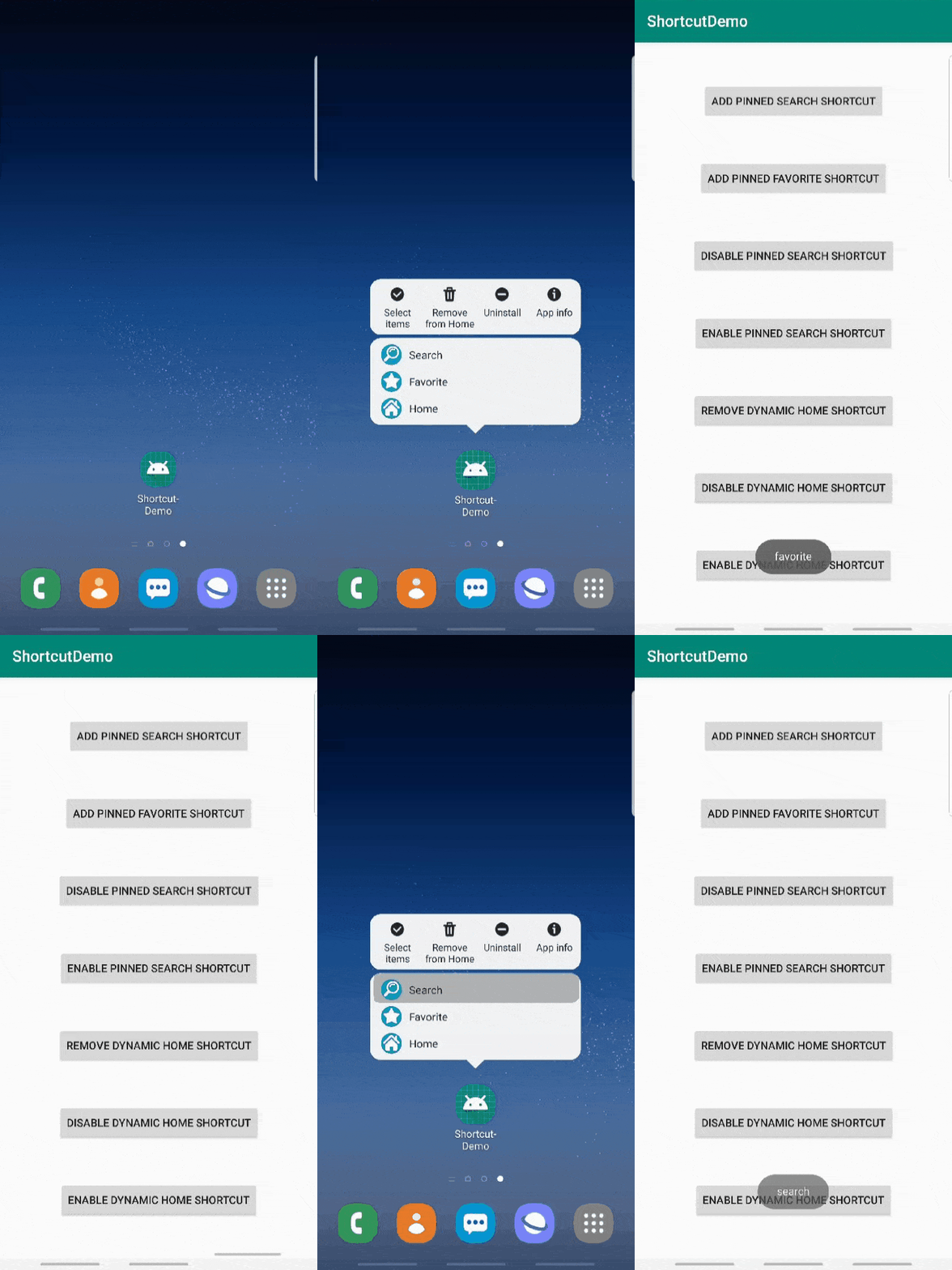
dynamic publishes the shortcut, or updates it in place when the id already exists
(pushDynamicShortcut under the hood, so the lowest-ranked shortcut is evicted automatically
when the launcher limit is reached).
Intents
Each intent { } block supports the full Intent surface: action (defaults to
Intent.ACTION_VIEW — the system requires shortcut intents to carry an action), data, type,
flags/addFlags, extras of every Bundle type, and an explicit target activity —
prefer target<MyActivity>() over implicit resolution so the shortcut cannot be intercepted:
intent {
    target<ComposeActivity>()
    putExtra("draftId", 42L)
    addFlags(Intent.FLAG_ACTIVITY_CLEAR_TASK)
}
Repeat intent { } to build a back stack — the last intent is launched, the earlier ones are
what the back button walks through:
dynamic("deep_link") {
    shortLabel = "Order #7"
    intent { target<HomeActivity>() }
    intent { target<OrdersActivity>() }
    intent {
        target<OrderDetailActivity>()
        putExtra("orderId", 7)
    }
}
Icons
icon = R.drawable.ic_compose            // resource id
icon(IconCompat.createWithBitmap(bmp))  // any IconCompat
adaptiveIcon(fullBleedBitmap)           // adaptive bitmap
Pinned shortcuts
context.shortcuts {
    val requested = pinned("call_mom") {
        shortLabel = "Call mom"
        icon = R.drawable.ic_phone
        intent {
            target<CallActivity>()
            putExtra("contact", "mom")
        }
        resultCallback = PendingIntent.getBroadcast(
            context, 0,
            Intent(ACTION_PINNED).setPackage(context.packageName),
            PendingIntent.FLAG_IMMUTABLE,
        )
    }
    if (!requested) { /* launcher doesn't support pinning */ }
}
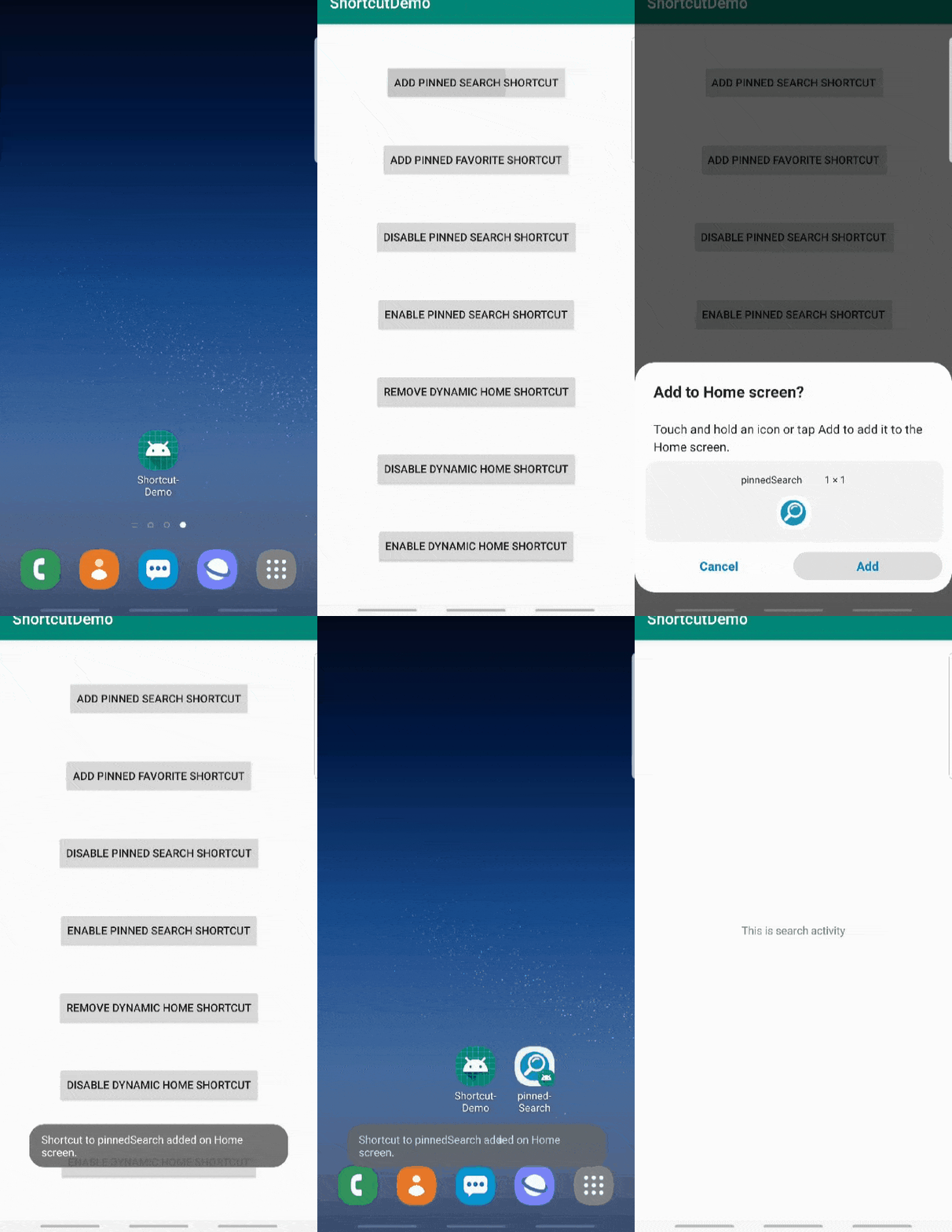
On API 26+ the system shows its pin-confirmation dialog and fires resultCallback when the user
confirms; below API 26 the legacy launcher broadcast is used. Check isPinShortcutSupported
up front if you want to hide the UI entirely.
Managing shortcuts
context.shortcuts {
    update("compose_email") { /* new content, never publishes a new id */ }
    remove("old_promo", "older_promo")
    removeAll()
    disable("compose_email", message = "Come back later")
    enable("compose_email")
    reportUsed("compose_email")   // feed the launcher's prediction ranking

    val limit = maxShortcutCountPerActivity
    val throttled = isRateLimitingActive
}
Reading extras in the target activity
There is no callback interface in 2.0 — shortcut launches are plain intent deliveries. Read the extras where they arrive:
class ComposeActivity : AppCompatActivity() {
    override fun onCreate(savedInstanceState: Bundle?) {
        super.onCreate(savedInstanceState)
        when (intent.getStringExtra("source")) {
            "shortcut" -> shortcuts { reportUsed("compose_email") }
        }
    }

    // If the activity uses launchMode="singleTop", also handle onNewIntent:
    override fun onNewIntent(intent: Intent) {
        super.onNewIntent(intent)
        setIntent(intent)
        // re-read extras here
    }
}
Treat shortcut extras like any external input: they survive on the launcher across app updates, so validate values instead of assuming they match the current app version.
Jetpack Compose (shortcut-compose)
A second artifact provides lifecycle-aware Compose bindings on top of shortcut-core
(the core module itself stays Compose-free):
DynamicShortcutEffect publishes a dynamic shortcut while it is in composition, re-publishes when
its keys change, and (by default) removes it when it leaves composition:
@Composable
fun ComposeScreen(draftCount: Int) {
    DynamicShortcutEffect("compose_email", draftCount) {
        shortLabel = "Compose ($draftCount drafts)"
        icon = R.drawable.ic_compose
        intent { target<ComposeActivity>() }
    }
}
Pass removeOnDispose = false for shortcuts that should outlive the screen.
rememberPinShortcutRequester handles pin requests with result delivery scoped to composition:
val pinRequester = rememberPinShortcutRequester { pinnedId ->
    // user confirmed the pin
}
Button(onClick = {
    pinRequester.request("call_mom") {
        shortLabel = "Call mom"
        intent { target<CallActivity>() }
    }
}) { Text("Pin it") }
Static shortcuts and capabilities (shortcuts.xml)
Static (manifest) shortcuts and App Actions capabilities are declared in XML, not through this
library. Add res/xml/shortcuts.xml and reference it from your main activity:
<!-- AndroidManifest.xml -->
<activity android:name=".MainActivity" android:exported="true">
    <meta-data android:name="android.app.shortcuts"
        android:resource="@xml/shortcuts" />
</activity>
<!-- res/xml/shortcuts.xml -->
<shortcuts xmlns:android="http://schemas.android.com/apk/res/android">
    <shortcut
        android:shortcutId="compose_static"
        android:enabled="true"
        android:icon="@drawable/ic_compose"
        android:shortcutShortLabel="@string/compose_short_label">
        <intent
            android:action="android.intent.action.VIEW"
            android:targetPackage="com.example.app"
            android:targetClass="com.example.app.ComposeActivity" />
        <capability android:name="actions.intent.CREATE_MESSAGE" />
    </shortcut>
</shortcuts>
Dynamic shortcuts published with this library can participate in Google Assistant App Actions by
matching a <capability> declared there; binding dynamic shortcuts to capabilities at runtime
additionally requires Google's
Shortcuts Integration Library,
which this library deliberately does not depend on.
License
   Copyright 2019 Mehdi Khalifeh

   Licensed under the Apache License, Version 2.0 (the "License");
   you may not use this file except in compliance with the License.
   You may obtain a copy of the License at

       http://www.apache.org/licenses/LICENSE-2.0

   Unless required by applicable law or agreed to in writing, software
   distributed under the License is distributed on an "AS IS" BASIS,
   WITHOUT WARRANTIES OR CONDITIONS OF ANY KIND, either express or implied.
   See the License for the specific language governing permissions and
   limitations under the License.
