ASeekBarDemo
Introduction: 灰常灰常简单的一个自定义 seekbar根据滑动的位置自动归到最近的档位!
Tags:
seekbar-自定义-灰常灰常简单的一个自定义 seekbar
滑动的位置自动归到最近的档位!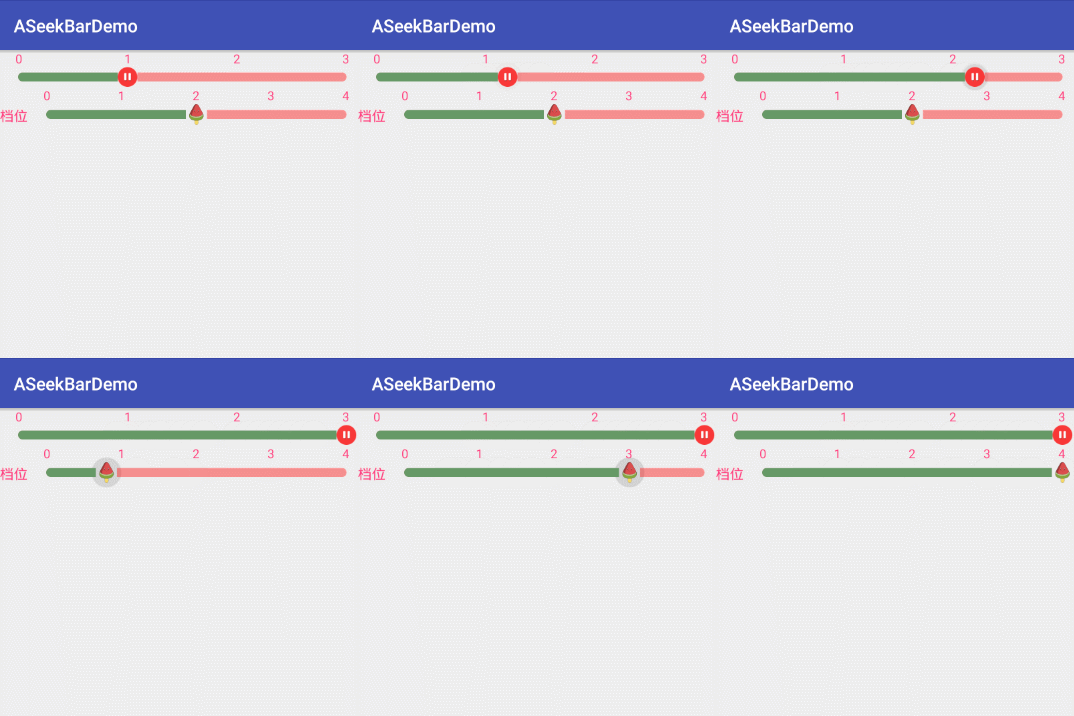
支持更改以下内容(都不是必须添加的,都有默认值):当然了把 lib 拿去随便改
选择档位数量,最小 3 档,最大五档(因为鄙人认为两个档或者一个档没有意义了,超过五个档有点密集了,不太好)
更改档位名称
设置默认是第几档
更改档位文字颜色
更改滑块 icon
更改 seekbar 背景
大家多多指教了
使用方法:
在 app 的 build.gradle 中添加
compile 'com.bigbadegg:aseekbar:1.0.0'
然后再 xml 文件中进行如下使用
 <com.bigbadegg.aseekbar.ASeekBar
       android:id="@+id/aseekbar"
       android:layout_width="match_parent"
       android:layout_height="wrap_content"
       app:default_stall="1"
       app:seekbar_progress="@drawable/bg_seekbar"
       app:seekbar_thump="@mipmap/zanting"
       app:stall_count="4">
   </com.bigbadegg.aseekbar.ASeekBar>

   <com.bigbadegg.aseekbar.ASeekBar
       android:id="@+id/aseekbar2"
       android:layout_width="match_parent"
       android:layout_height="wrap_content"
       app:default_stall="2"
       app:stall_count="5"
       app:stall_name="档位"
       app:text_color="@color/colorAccent">

   </com.bigbadegg.aseekbar.ASeekBar>
   ```
在 Java 代码中回调事件

   ```
aSeekBar = (ASeekBar) findViewById(R.id.aseekbar);
       aSeekBar.setOnASeekBarListener(new ASeekBar.ASeekBarListener() {
           @Override
           public void SeekBarChange(int stall) {
               Toast.makeText(MainActivity.this, "当前档位是:" + stall, Toast.LENGTH_SHORT).show();
           }
       });

   ```
