CalendarExaple
Introduction: 高仿钉钉和小米的日历控件
Tags:
CalendarView-ViewPager+Gridview-日历控件-关注我
githup:https://github.com/codbking
csdn: http://my.csdn.net/codbking
简介
这是一个高仿钉钉和小米的日历控件,支持快速滑动,界面缓存。想要定制化 UI,使用起来非常简单,就像使用 ListView 一样
一些特点:
- 可以自定义日历控件 UI
- 支持快速滑动
- 支持农历和阳历
- 界面 UI 缓存和日历数据缓存
- 扩展 view 支持 listView 的滑动
效果
- 先上两张 demo 的效果图,分别是仿小米和钉钉日历效果图
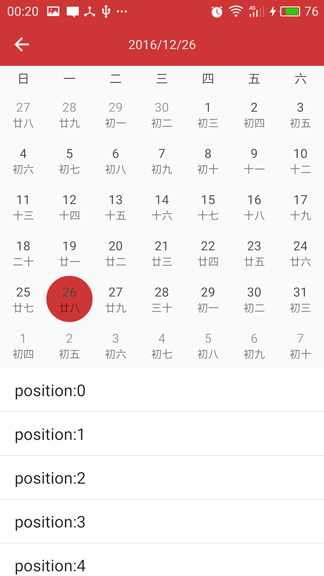
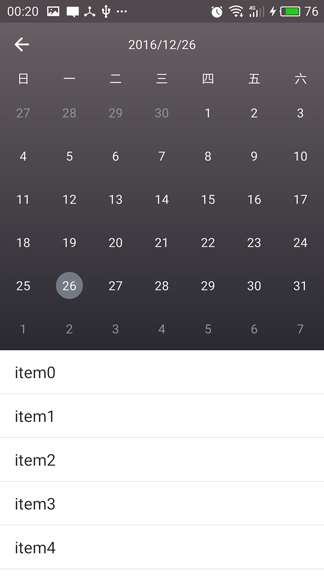
- 再看下交互效果
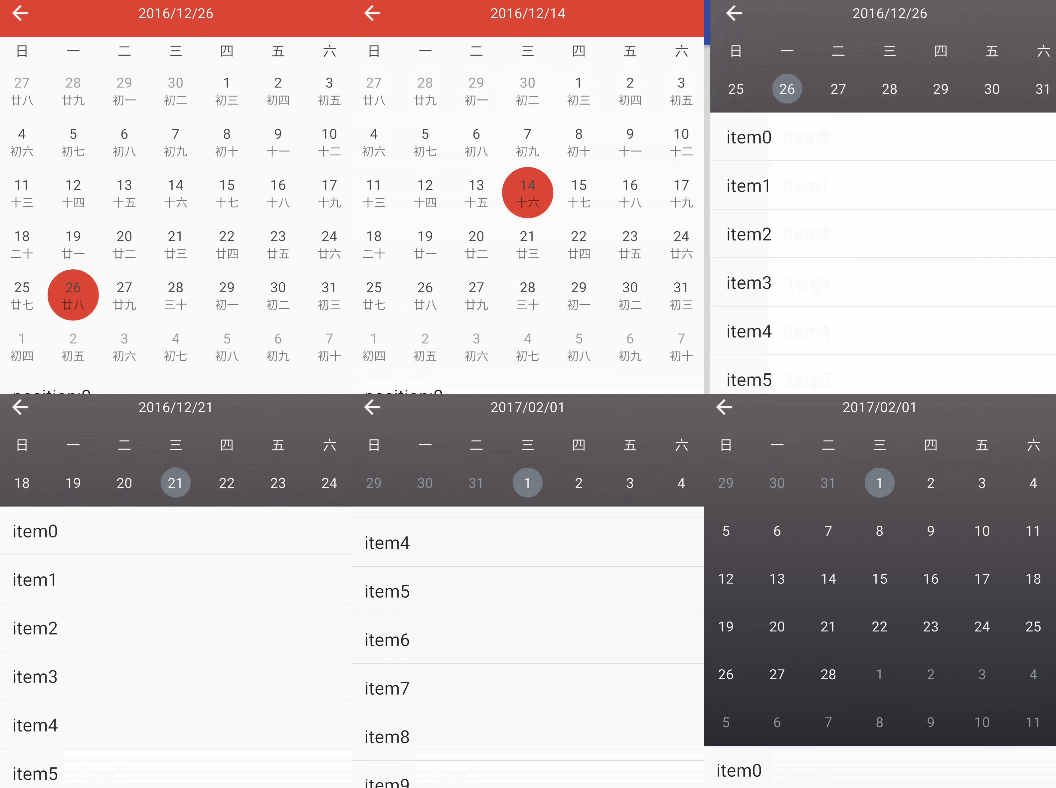
how to use
- Add it in your root build.gradle at the end of repositories:
        allprojects {
           repositories {
            ...
            maven { url 'https://jitpack.io' }
        }
        }
- Add the dependency
    dependencies {
            compile 'com.github.codbking:CalendarExaple:v1.0.0'
    }
在 layout 的 xml 中添加 CalendarLayout 和 CalendarDateView
注意:CalendarDateView 一定是 CalendarLayout 第一个 view,扩展 view 必须是 CalendarDateView 第二个 view
   <com.codbking.calendar.CalendarLayout
        android:layout_width="match_parent"
        android:layout_height="0dp"
        android:layout_weight="1"
        >

        <com.codbking.calendar.CalendarDateView
            android:id="@+id/calendarDateView"
            android:layout_width="match_parent"
            android:layout_height="wrap_content"/>

        <ListView
            android:id="@+id/list"
            android:layout_width="match_parent"
            android:layout_height="wrap_content"
            android:background="#ffffff"
            />

    </com.codbking.calendar.CalendarLayout>
在你的 java 文件中设置 CalendarDateView 的 CaledarAdapter 和 CalendarView.OnItemClickListener 监听
注意:想要设置选中效果,只需设置 CaledarAdapter 中的 view 的选中背景
       mCalendarDateView.setAdapter(new CaledarAdapter() {
            @Override
            public View getView(View convertView, ViewGroup parentView, CalendarBean bean) {
                //判断 convertView 为 null,可以有效利用 view 的回收重用,左右滑动的效率高
                if (convertView == null) {
                    convertView = LayoutInflater.from(parentView.getContext()).inflate(R.layout.item_xiaomi, null);
                }

                TextView chinaText = (TextView) convertView.findViewById(R.id.chinaText);
                TextView text = (TextView) convertView.findViewById(R.id.text);

                text.setText("" + bean.day);
                //mothFlag 0 是当月,-1 是月前,1 是月后
                if (bean.mothFlag != 0) {
                    text.setTextColor(0xff9299a1);
                } else {
                    text.setTextColor(0xff444444);
                }
                chinaText.setText(bean.chinaDay);

                return convertView;
            }
        });

        mCalendarDateView.setOnItemClickListener(new CalendarView.OnItemClickListener() {
            @Override
            public void onItemClick(View view, int postion, CalendarBean bean) {
                mTitle.setText(bean.year + "/" + bean.moth + "/" + bean.day);
            }
        });
联系我
email:codbking@gmail.com
